Moniepoint has made everyday banking very easy, especially when you need to send money quickly. Knowing how to transfer money from a Moniepoint account to another Moniepoint account using USSD banking code on your phone is very important. It helps you complete transactions even without internet access, anytime and anywhere.
This guide is written to help you solve that problem in a simple way. If you have ever struggled with mobile transfers or slow banking apps, this method will make things easier for you.
By the end of this post, you will learn:
- How to use the Moniepoint USSD code for transfers
- What you need before starting a transfer
- Step-by-step guide to send money successfully
- How to confirm your transaction
- Common issues and how to fix them
- Security tips to protect your account
What You Need Before Using Moniepoint USSD Transfer
Before you start transferring money using the Moniepoint USSD code, there are a few important things you must have ready.
Here is what you need:
- Activate Moniepoint USSD code on your Moniepoint app
- The phone number linked to your Moniepoint account
- Sufficient account balance to cover the transfer amount and possible charges
- Correct account number of the recipient (Moniepoint account number)
Make sure all these requirements are in place before you proceed. It reduces the chance of failed transactions or mistakes.
How To Transfer Money from Moniepoint to Moniepoint Using USSD Code
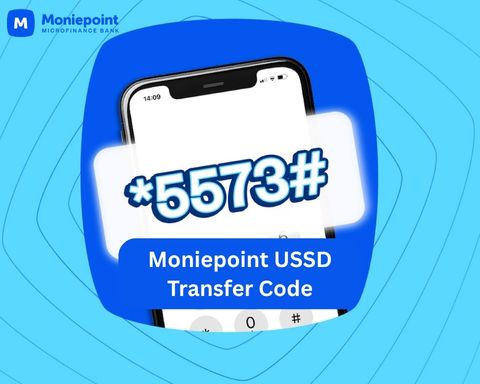
This is the main part of the process. I will guide you step by step on how to send money from your Moniepoint account to another Moniepoint user using the USSD code *5573#.
Step 1: Dial the Moniepoint USSD Code
- On your phone, dial *5573# using the phone number linked to your Moniepoint account
- Wait for the menu to load on your screen
Step 2: Select Transfer to Moniepoint
- Choose the option that allows you to send money to another Moniepoint user. This is option 1. Enter 1 in the box and press send.
- This will take you to the next stage of the transfer process
Step 3: Enter the Amount
- Type in the exact amount you want to send
- Double-check the amount before continuing
Step 4: Enter Recipient Account Number
- Carefully input the Moniepoint account number of the person you are sending money to
- Make sure you confirm the number to avoid mistakes
Step 5: Confirm Transaction with PIN
- Enter your Moniepoint USSD PIN to authorize the transfer
- Once confirmed, wait for a success message or SMS notification
Read: Moniepoint USSD code to send money to other banks in Nigeria
How to Confirm a Successful Transfer
Moniepoint will notify you when you send money with the Moniepoint USSD code successfully. This helps you know the money has left your account and reached the right person.
Here are simple ways to confirm:
- You will receive an SMS notification from Moniepoint confirming the transfer
- Your account will be debited, and you will see the deduction in your balance
- The recipient will also receive a credit alert confirming the money has arrived
Benefits of Using Moniepoint USSD Transfer
Using the Moniepoint USSD transfer service is one of the easiest ways to send money, especially when you need speed and convenience.
Here are the key benefits:
- Fast and easy transactions within seconds
- No internet connection required to complete transfers
- Works on all types of mobile phones, including basic phones
- Available 24/7, even on weekends and holidays
- Secure banking experience when you follow the right safety steps
Common Issues and How to Fix Them
Sometimes, you may experience small issues when using the Moniepoint USSD transfer service. Most of these problems are easy to fix if you know what to look for.
Here are common issues and how to handle them:
- Wrong account number input
Double-check the recipient’s Moniepoint account number before confirming any transfer. If money is sent to the wrong account, contact customer support immediately. However, Moniepoint does not guarantee to retrieve your money, so confirm account details before sending the money. - Network failure during transaction
This can happen due to poor signal. Try again in a few minutes or move to a location with better network. - Insufficient balance
Make sure you have enough money in your account before starting the transfer, including any possible charges. - USSD not responding
End the session and dial *5573# again. You can also restart your phone if the issue continues. - Money deducted but not received
Wait a few minutes first. If the issue continues, check your transaction SMS or contact Moniepoint support for assistance. - Wrong Code
Unknowingly, you can enter the wrong USSD when dialling the Moniepoint transfer short code. Someone once dialled *3375# for days and complain that Moniepoint USSD code is not working. If in doubt of the short code, dial *5573# and follow the prompts.
Tips When Using Moniepoint USSD Code
When using USSD banking, security is very important. You are directly handling your money, so you need to be careful at every step.
Here are simple security tips to follow:
- Never share your USSD PIN with anyone, even people you trust
- Always confirm the recipient’s account details before sending money
- Avoid using public or shared phones for USSD transactions
- Regularly check your account activity for any suspicious transactions
- If you notice anything unusual, report it immediately to Moniepoint support
Frequently Asked Questions (FAQs)
Here are some common questions people ask about transferring money from a Moniepoint account to another Moniepoint account using USSD.
- What is the Moniepoint USSD code for transfer?
The official Moniepoint USSD code for transactions is *5573#. - Can I transfer money without internet?
Yes. USSD banking works without internet connection. - Is there a transfer limit on Moniepoint USSD?
Yes. Transfer limits depend on your account type and regulatory requirements. - What should I do if I send money to the wrong account?
You should contact Moniepoint customer support immediately for assistance. - Can I use any phone number for USSD transfer?
No. You must use the phone number linked to your Moniepoint account. - Why is my USSD transfer failing?
It may be due to network issues, incorrect PIN, insufficient balance, wrong USSD code or service downtime.
Summary
Moniepoint makes money transfers simple and fast, especially when using the USSD code system. It helps you send money from your Moniepoint account to another Moniepoint account without needing internet access.
To recap, here are the key points of this post:
- How to transfer money from Moniepoint account to another Moniepoint account using USSD code: dial *5573#, select transfer option, enter amount, input recipient account number, and confirm with your PIN
- Requirements: Activate Moniepoint USSD banking on your the app, dial the code on phone number linked to your account, have sufficient balance, and correct recipient details
- The transfer process is quick, secure, and works on any mobile phone
- Always confirm transactions through SMS alerts and account notifications
unleash.com.ng is dedicated to providing valuable information on managing your finances. Keep an eye out for future articles on Moniepoint and other helpful financial topics!
If you have any questions or need further assistance, feel free to ask in the comments below or on the Facebook page.
Leave a Reply