Although it is easy to use the Moniepoint app to transfer money, sometimes an alternative is the best. Maybe you are out of data, switch to a basic phone, or the app frustrates you; this is why you need the Moniepoint USSD banking to send money to other banks in Nigeria promptly.
With the Moniepoint USSD code, you don’t need internet access or a smartphone. You can send money anytime, anywhere using a simple code. This method is fast, reliable, and works on any mobile phone.
In this guide, I will show you how to use the Moniepoint transfer code to send money to other banks step by step without confusion.
What you will learn in this post:
- How to use the Moniepoint USSD code
- Step-by-step process to transfer money to other banks
- Moniepoint transfer charges you should know
- Common problems and how to fix them
- Security tips to protect your money
This guide is simple, practical, and easy to follow—even if you are using USSD for the first time.
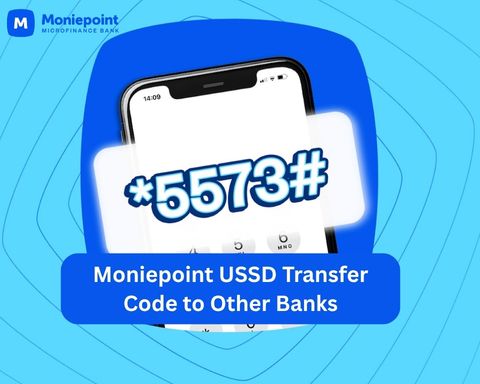
Why Use Moniepoint USSD Transfer Code
There are many situations where using the Moniepoint USSD transfer code becomes the best option.
Internet Connection Is Poor or Unavailable
Sometimes, you need to send money urgently, but your mobile data is off, exhausted, or the network is unstable.
With the Moniepoint USSD code, you can transfer money without internet access. All you need is network coverage on your phone.
Use a Basic Phone
Not everyone uses a smartphone. Some people use feature phones that cannot install banking apps.
The Moniepoint transfer code works on both smartphones and basic phones, making it accessible to everyone.
Moniepoint App Is Not Opening
There are times when the mobile app may be slow due to maintenance, updates, or network issues.
Instead of waiting for the app to work, you can dial *5573# and complete your transfer immediately.
Need to Send Money Urgently
Imagine you need to:
- Pay for a product
- Send money to a family member
- Complete an emergency payment
Using USSD is often faster because you can complete the transaction within minutes without opening an app or waiting for an internet connection.
Phone Battery Is Running Low
When your battery is almost dead, opening apps and loading pages can consume more power.
USSD banking uses very little battery power, allowing you to complete important transfers before your phone shuts down.
Want a Simple and Secure Transfer Method
Some users prefer USSD because it is straightforward. You only need:
- Your registered phone number
- Recipient details
- Your USSD PIN
Every transaction is protected with PIN authentication, helping to keep your account secure.
Requirements for Transferring Money from Moniepoint with USSD
Before you use the Moniepoint USSD code to send money, there are a few important things you need to have in place. This helps you avoid failed transactions and delays.
Here’s what you need:
- Active Moniepoint account
Make sure your account is active and working properly. If your account is restricted, the transfer may not go through. - Registered phone number linked to Moniepoint
You must dial the USSD code using the phone number connected to your Moniepoint account. Using another number will not work. - Sufficient account balance
Ensure you have enough money in your account to cover both the transfer amount and the charges. - Created USSD PIN
Your USSD PIN is required to authorize the transaction. Without it, you cannot complete the transfer. - Recipient account details
Have the correct account number and bank name of the person you want to send money to. This helps you avoid sending money to the wrong person.
Once you have all these ready, your transfer process will be smooth and stress-free.
How To Transfer Money from Moniepoint to Other Banks Using USSD Code
Sending money from your Moniepoint account to another bank is simple when you follow the steps correctly. You can complete the transfer in a few minutes using your phone.
Step 1: Dial the Moniepoint USSD Code
- Dial *5573# on your registered phone number.
- Wait for the Moniepoint banking menu to load on your screen.
Step 2: Select “Transfer to Others”
- Choose Transfer to Others from the options displayed.
- This option allows you to send money from Moniepoint to other banks in Nigeria.
Step 3: Enter the Amount
- Input the amount you want to send.
- Carefully confirm the amount before moving to the next step.
Step 4: Enter Recipient’s Account Number
- Enter the recipient’s account number correctly.
- Double-check the digits to avoid sending money to the wrong person.
Step 5: Choose Recipient’s Bank
- Select the recipient’s bank from the available list.
- If you don’t see the bank immediately, use the search option.
- Enter the first three letters of the bank name to find it quickly.
Example:
- GTB = GTB
- Access = ACC
Step 6: Confirm and Complete Transfer
- Review all the transaction details carefully:
- Recipient name
- Bank name
- Amount
- Charges
- Enter your USSD PIN to authorize the transaction.
- Once completed, the transfer will be successful.
You will also receive an SMS confirmation for the transaction.
Read: Moniepoint USSD code to send money to another Moniepoint account
Moniepoint Transfer Charges to Other Banks
Before you send money, it’s important to understand the charges involved. This helps you know exactly how much will be deducted from your account.
Here is a simple breakdown of Moniepoint transfer fees:
Moniepoint Transfer Fee
- Moniepoint charges ₦10 per transaction when you send money to other banks.
- This fee applies to every successful transfer.
VAT Charge
- A 7.5% VAT is applied to the transfer fee.
- Since the transfer fee is ₦10, the VAT is:
- ₦0.75
Explanation:
- 7.5% of ₦10 = ₦0.75
Stamp Duty Fee
- You will be charged ₦50 for transfers of ₦10,000 and above.
- This charge is regulated by the Central Bank of Nigeria (CBN).
Example:
- If you send ₦10,000 or more, an extra ₦50 will be added as stamp duty.
Benefits Moniepoint USSD Transfer Code?
The Moniepoint USSD code is one of the easiest ways to send money.
Here are the key benefits:
- No internet required
You don’t need data or Wi-Fi. This is perfect if your internet is slow or unavailable. - Works on all phones
Whether you use a smartphone or a basic phone, the USSD code will work smoothly. - Fast transactions
Transfers are processed within seconds. You can send money quickly without delays. - Available 24/7
You can use the Moniepoint transfer code anytime, including weekends and late nights. - Secure PIN authentication
Every transaction requires your USSD PIN. This keeps your money safe from unauthorized access.
Common Problems When Using Moniepoint USSD Transfer and Solutions
Sometimes, you may face small issues when using the Moniepoint USSD code. Don’t worry—most of these problems are easy to fix.
USSD Code Not Working
If the code is not responding or not loading:
Solutions:
- Check your network signal and try again
- Make sure you are using the phone number linked to your Moniepoint account
- Retry after a few minutes if the network is busy
Transaction Failed but Account Debited
This can happen due to network delay or system issues.
Solutions:
- Wait for automatic reversal (usually within minutes to hours)
- If not reversed, contact Moniepoint customer support
Forgot USSD PIN
If you can’t remember your PIN, you won’t be able to complete transactions.
Solutions:
- Reset your PIN through the Moniepoint app
- Or contact customer support for assistance
Frequently Asked Questions (FAQs)
- How do I transfer money from Moniepoint to another bank?
Dial *5573#, choose Transfer to Others, enter the amount, input the recipient’s details, and confirm the transaction with your PIN. - What is Moniepoint USSD code for transfer?
The official Moniepoint transfer code is *5573#. - How much is Moniepoint transfer fee?
Moniepoint currently charges:- ₦10 transfer fee
- ₦0.75 VAT
- ₦50 stamp duty for transfers of ₦10,000 and above
- Can I transfer money from Moniepoint without internet?
Yes. You can use Moniepoint USSD banking without internet access. - Why is Moniepoint charging ₦50 extra?
This is a stamp duty charge applied to transfers of ₦10,000 and above. - Can I transfer money to all Nigerian banks?
Yes, Moniepoint supports transfers to most banks in Nigeria. - What happens if I enter wrong account number?
Always confirm the recipient’s name before entering your PIN. Wrong transfers may be difficult to reverse.
Summary
Moniepoint makes it very easy to send money to other banks using the USSD code. You don’t need internet access, and you can complete transactions directly from your phone in a few simple steps.
To recap, here are the key points:
- How to transfer money from Moniepoint Account to Other Banks using USSD code: Dial *5573#, select Transfer to Others, enter amount, recipient details, and confirm with your PIN.
- You must have an active Moniepoint account, registered phone number, sufficient balance, and USSD PIN.
- Transfer charges include ₦10 fee, ₦0.75 VAT, and ₦50 stamp duty for ₦10,000 and above.
- The service works without internet and is available 24/7.
- Always confirm recipient details and keep your PIN secure.
unleash.com.ng is dedicated to providing valuable information on managing your finances. Keep an eye out for future articles on Moniepoint and other helpful financial topics!
If you have any questions or need further assistance, feel free to ask in the comments below or on the Facebook page.
Leave a Reply